
試験Desktop-Specialist-JPN トピック7 問題233 スレッド
Tableau Desktop-Specialist-JPNのリアル試験問題集
問題 #: 233
トピック #: 7
問題 #: 233
トピック #: 7
視覚化でマークラベルを表示する有効な方法は次のうちどれですか?
おすすめの解答:A,B,D 解答を投票する
The following showcase how you can show mark labels. Using the Sample Superstore dataset:
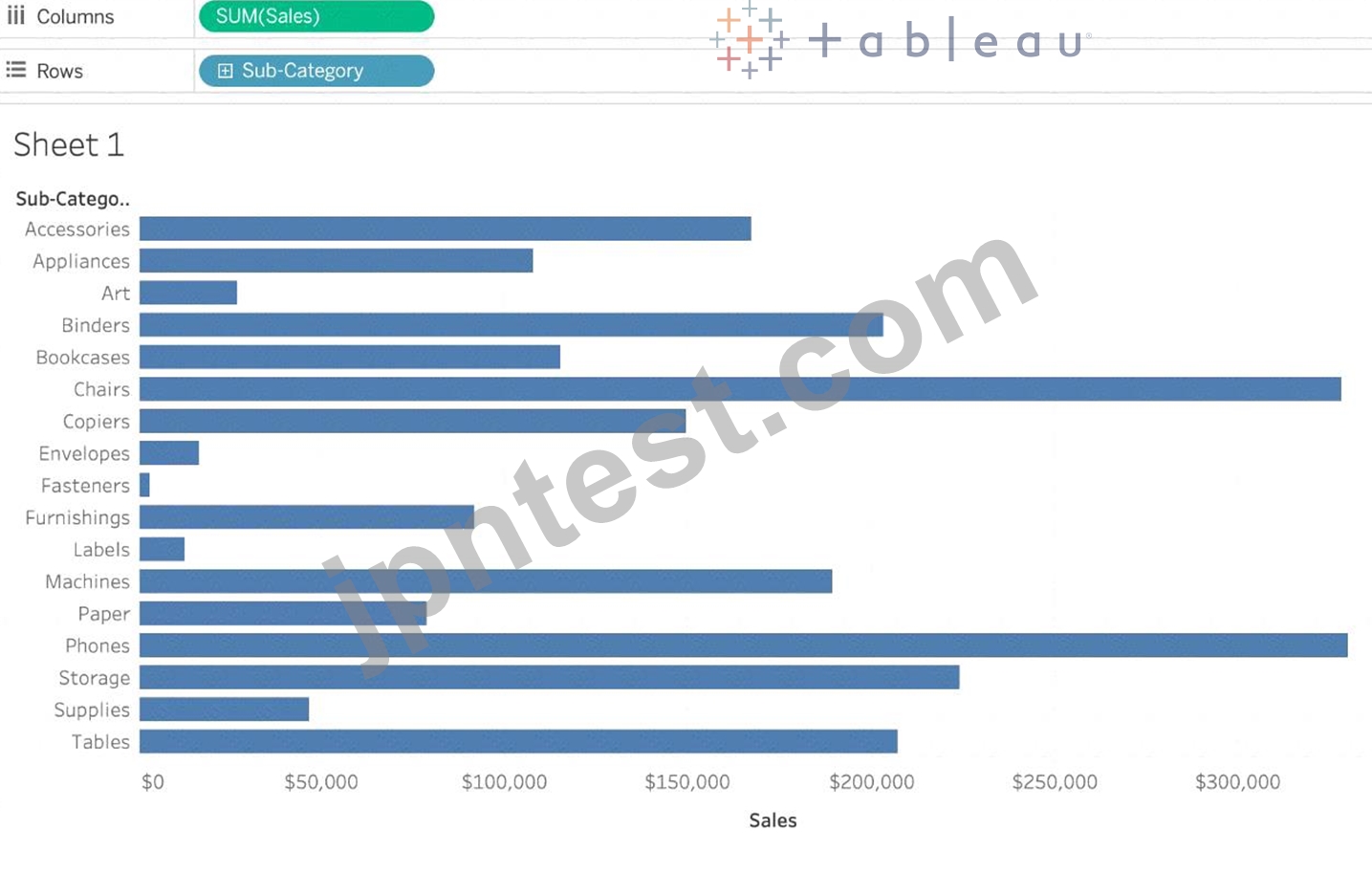
1) Let's create a Bar chart showing the sales for each sub-category:
2) Now you can show labels by:
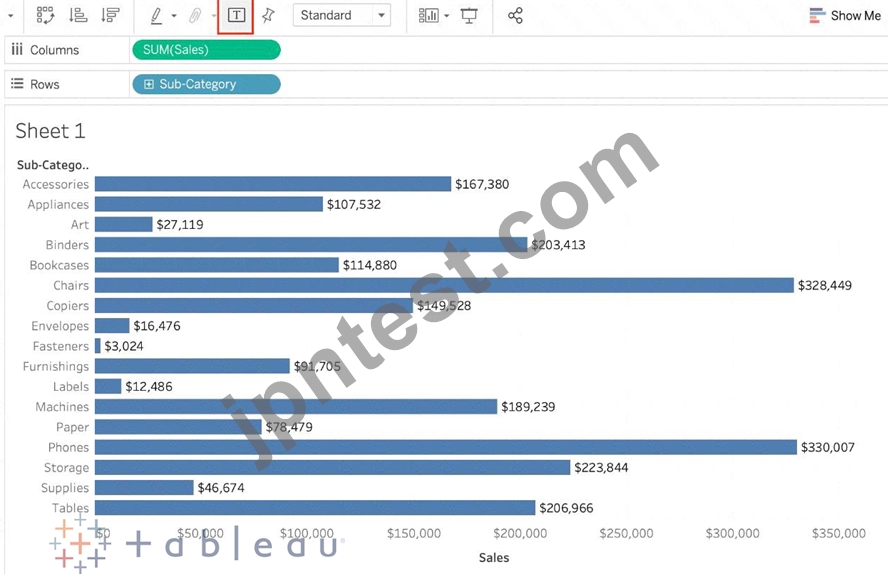
2.1) Click on Show Mark Labels Icon in the Toolbar ( easiest )
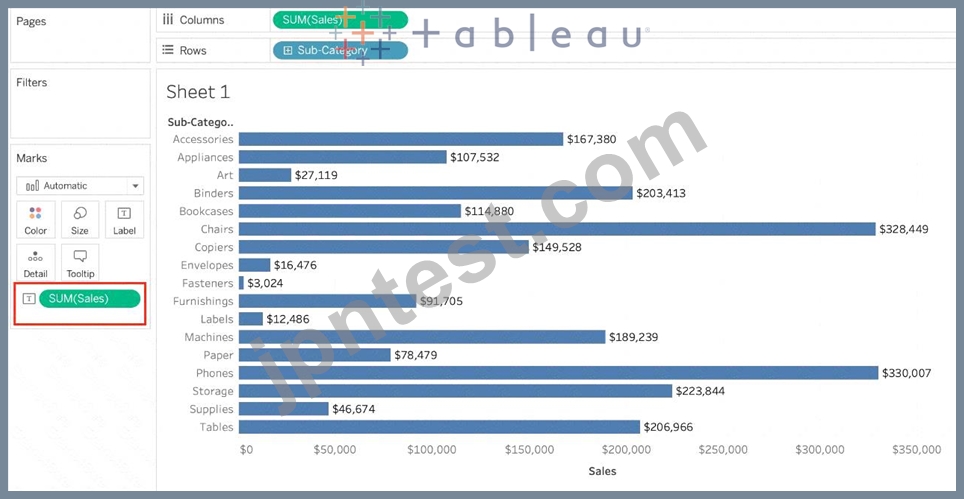
2.2) Drag Sales to the Text icon in the Marks Card:
2.3) Click on Analysis -> Show mark labels from the Tableau menu bar:
1) Let's create a Bar chart showing the sales for each sub-category:
2) Now you can show labels by:
2.1) Click on Show Mark Labels Icon in the Toolbar ( easiest )
2.2) Drag Sales to the Text icon in the Marks Card:
2.3) Click on Analysis -> Show mark labels from the Tableau menu bar:
かわ** 2025-10-05 03:34:01
コメント
他人の解答コメントを賛成するのも、その解答に一票を入れることになります。したがって、すでに同じ意見の投票コメントが存在する場合、新規コメントをする代わりに賛成することもできます。
コメントを通報する
コメント中
今すぐ 新規登録 / ログイン (無料です)。