

 442 お客様のコメント
 クリック」
クリック」
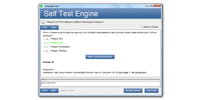

本番さながらの環境で練習したい方には、JPNTestのテストエンジンがおすすめです。PL-900試験の画面構成や制限時間を再現した模擬試験で、Microsoft Power Platform Fundamentalsの417の問題に取り組めます。本番の緊張感に慣れておけば、当日も落ち着いて解答できるようになります。
Microsoft PL-900 試験概要:
| 認定ベンダー: | Microsoft |
|---|---|
| 試験名: | Microsoft Power Platform Fundamentals |
| 試験番号: | PL-900 |
| 合格点: | 700 / 1000 |
| 認定の有効期間: | 有効期限なし(Microsoft ファンダメンタルズ認定資格は有効期限がありません) |
| 試験形式: | ケースベースの問題, ドラッグアンドドロップ, 単一選択, 複数選択 |
| 受験料: | $99 USD(地域により異なる) |
| 試験時間: | 60 分 |
| 対応言語: | 中国語(簡体字), 英語, 日本語, フランス語, ポルトガル語(ブラジル), ドイツ語, 韓国語, スペイン語 |
| 関連資格: | PL-200 (Power Platform Functional Consultant Associate) PL-400 (Power Platform Developer Associate) PL-600 (Power Platform Solution Architect Expert) PL-100 (Power Platform App Maker Associate) |
| 出題数: | 40~60 |
| 推奨トレーニング: | Microsoft Power Platform ドキュメント Microsoft Learn PL-900 ラーニングパス |
| 受験申し込み: | Microsoft Learn 認定資格ページ Pearson VUE Microsoft 試験 |
| サンプル問題: | Microsoft PL-900 サンプル問題 |
| 受験方法: | Pearson VUE によるオンライン監督試験、または認定テストセンターでの対面受験。 |
| 前提条件: | 正式な前提条件はありません。 |
| 公式シラバスのURL: | https://learn.microsoft.com/en-us/credentials/certifications/power-platform-fundamentals/ |
Microsoft PL-900 試験シラバストピック:
| セクション | 目標 |
|---|---|
| Microsoft Power Platform のビジネス価値を説明する | - Power Platform のビジネス価値を特定する
|
| Power Platform のコアコンポーネントを特定する | - Power Apps
|
| Microsoft Power Platform のガバナンスと管理機能を説明する | - セキュリティとガバナンス
|
PL-900試験のFAQ
「PL-900」は、Microsoftが実施する「Microsoft Power Platform Fundamentals」の試験コードです。この試験に合格すると、「Microsoft Certified: Power Platform Fundamentals」の認定を取得できます。認定レベルはファンダメンタルズに位置づけられています。関連する認定としては、PL-100 (Power Platform App Maker Associate)・PL-200 (Power Platform Functional Consultant Associate)・PL-400 (Power Platform Developer Associate)・PL-600 (Power Platform Solution Architect Expert)などが挙げられます。JPNTestでは、PL-900試験対策として417の練習問題をご用意しています。
PL-900試験の出題数は40~60、制限時間は60 分です。限られた時間内で全問に取り組む必要があるため、1問にかけられる時間を常に意識し、難しい問題に長く留まりすぎないペース配分が求められます。本番で時間不足に慌てないよう、JPNTestのテストエンジンで制限時間つきの模擬試験に挑戦し、時間配分の感覚を体に覚えさせておくことをおすすめします。
PL-900試験の合格ラインは700 / 1000、受験料は$99 USD(地域により異なる)です。万が一不合格だった場合、再受験には改めて全額の受験料が必要になるため、費用面の負担も無視できません。受験前にJPNTestの417の練習問題で模擬試験に取り組み、安定して合格ラインを超えられることを確認してから本番に臨むと安心です。
正式な前提条件はありません。
受験条件は変更される場合があります。最新かつ正確な情報は、Microsoftの公式ページで必ずご確認ください。
PL-900試験は、以下の公式窓口からお申し込みいただけます。
なお、本試験の受験方式はPearson VUE によるオンライン監督試験、または認定テストセンターでの対面受験。です。
MicrosoftではPL-900試験向けに、以下の公式トレーニングを用意しています。
公式トレーニングで知識の土台を固めたうえで、JPNTestの417の練習問題に取り組めば、理解度の確認と弱点の洗い出しを効率よく進められます。
はい、ご購入前にJPNTestのPL-900問題集の無料サンプル(PDFデモ)をダウンロードして、問題の品質や形式をご確認いただけます。ご購入後は365日間の無料更新が付帯し、更新期間の終了後も50%割引で継続更新をご利用いただけるため、常に最新の出題傾向に沿った内容で学習を続けられます。
JPNTestでは「返金保証」制度をご用意しています。ご購入後60日以内にPL-900試験を受験して不合格となった場合、全額返金をご申請いただけます。なお、ご購入後3日以内の受験や、ダウンロード後に実際の受験をしていない場合、無料資料や期限切れのご注文は対象外となり、受験者氏名とお支払い者氏名が一致している必要があります。ご申請の際は、受験票(enrollment slip)の写しと公式スコアレポート(Score Report)のPDFを試験後2日以内にご提出いただき、受理後7日以内に手続きが完了します。返金をご希望でない場合は、同等価値の試験資料2点を無料でお受け取りいただき、元の製品の更新サービスを継続する選択肢もございます。
また、ご購入いただいた製品はお支払い完了後すぐにダウンロードでき、メールでも1分以内にお届けします。2時間以内に届かない場合はカスタマーサポートまでご連絡ください。インストール可能なパソコンの台数に制限はありません。
PL-900試験の出題範囲は、全部で3分野で構成されています。主な分野としては、「Power Platform のコアコンポーネントを特定する」、「Microsoft Power Platform のビジネス価値を説明する」、「Microsoft Power Platform のガバナンスと管理機能を説明する」などが挙げられます。各分野の詳細なトピックと配点は、上記の試験大綱をご確認ください。JPNTestのPL-900練習問題は、これらの出題分野を幅広くカバーしています。
Microsoft Power Platform Fundamentals 認定 PL-900 試験問題:
Hotspot Question
A company is evaluating AI Builder.
Instructions: For each of the following statements, select Yes if the statement is true. Otherwise, select No.
NOTE: Each correct selection is worth one point.
正解:

Explanation:
AI Builder prebuilt models help you add intelligence to apps and flows without having to gather data and then build, train, and publish your own models.
Prebuilt models are available in Power Automate and-depending on the model- in Power Apps.
https://learn.microsoft.com/en-us/ai-builder/prebuilt-overview
Hotspot Question
You are developing a Power Virtual Agents chatbot for a company.
For each of the following statements, select Yes if the statement is true. Otherwise, select No.
NOTE: Each correct selection is worth one point.
正解:

Explanation:
https://docs.microsoft.com/en-us/power-virtual-agents/authoring-fundamentals
https://docs.microsoft.com/en-us/power-virtual-agents/advanced-entities-slot-filling
A company wants users to start using Power Automate to improve personal productivity.
You need to create a flow.
Which two elements must you include? Each correct answer presents part of the solution.
NOTE: Each correct selection is worth one point.
- A. action
- B. condition
- C. trigger
- D. expression
正解:A、C 🗳️
解説: (JPNTest メンバーにのみ表示されます)
You use Power Automate for personal productivity.
You often overwrite working flows by editing the definitions. You are unable to undo changes after saving a flow.
You need to be able to revert a flow to the current state.
Which two options can you use? Each correct answer presents a complete solution.
NOTE: Each correct selection is worth one point.
- A. Save As
- B. Rename
- C. Export
- D. Share
正解:A、C 🗳️
解説: (JPNTest メンバーにのみ表示されます)
Hotspot Question
You are authoring a Copilot Studio copilot for a company.
For each of the following statements, select Yes if the statement is true. Otherwise, select No.
NOTE: Each correct selection is worth one point.
正解:

Explanation:
Box 1: No
Microsoft Copilot Studio, Add and manage knowledge for generative answers Generative answers in Copilot Studio allow your copilot to find and present information from multiple sources, internal or external, without created topics. Generative answers can be used as primary information sources or as a fallback source when authored topics can't answer a user's query. As a result, you can quickly create and deploy a functional copilot. Makers don't need to manually author multiple topics, which might not address all customer questions.
Box 2: Yes
Microsoft Copilot Studio, Configure end-user authentication for actions
* When creating a Copilot Studio action for an authenticated Copilot Studio project, you can enable end-user authentication, or supply a set of credentials for the copilot to use on behalf of the user.
* Select Copilot author authentication if access to the service associated with the action is implicit, or for low-risk use cases. For example, use this authentication setting to find the phone number for the support team in a given zip code. OR when using a weather API to get the current forecast.
Select User authentication if you must restrict data access to specific groups or individuals in the user community. For example, use this authentication setting if the copilot is meant to retrieve data that only the end user has access to, or to perform work on their behalf.
Reference:
https://learn.microsoft.com/en-us/microsoft-copilot-studio/nlu-boost-conversations
https://learn.microsoft.com/en-us/microsoft-copilot-studio/configure-enduser-authentication


 0
0
 0
0
 0
0
 0
0
