
 488 お客様のコメント
 クリック」
クリック」


070-323の迅速なアップデート対応
070-323試験に変更がございました場合は、現在の試験と一致するよう、瞬時に学習資料を更新することができます。弊社は、お客様に最高、最新のMicrosoft 070-323問題集を提供することに専念しています。なお、ご購入いただいた製品は365日間無料でアップデートされます。
070-323試験の品質と価値
JPNTestのMCITP 070-323模擬試験問題集は、認定された対象分野の専門家と公開された作成者のみを使用して、最高の技術精度標準に沿って作成されています。
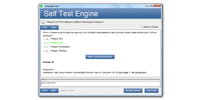
ダウンロード可能なインタラクティブ070-323テストエンジン
MCITPの基礎準備資料問題集には、MCITP 070-323試験を受けるために必要なすべての材料が含まれています。詳細は、正確で論理的なものを作成するために業界の経験を常に使用しているMCITP によって研究と構成されています。
JPNTestでMicrosoft 070-323問題集をチョイスする理由
JPNTestは、1週間で完璧に認定試験を準備することができる、忙しい受験者に最適な問題集を提供しております。 070-323の問題集は、Microsoftの専門家チームがベンダーの推奨する授業要綱を深く分析して作成されました。弊社の070-323学習材料を一回のみ使用するだけで、Microsoft認証試験に合格することができます。
070-323はMicrosoftの重要な認証であり、あなたの専門スキルを試す認定でもあります。受験者は、試験を通じて自分の能力を証明したいと考えています。 JPNTest Administering Office 365 は、MCITPの90の問題と回答を収集して作成しました。Administering Office 365の知識ポイントをカバーし、候補者の能力を強化するように設計されています。 JPNTest 070-323受験問題集を使用すると、Administering Office 365に簡単に合格し、Microsoft認定を取得して、Microsoftとしてのキャリアをさらに歩むことができます。
あなたの070-323試験合格を100%保証
JPNTestテスト問題集を初めて使用したときにMCITP 070-323試験(Administering Office 365)に合格されなかった場合は、購入料金を全額ご返金いたします。
Microsoft 070-323 試験シラバストピック:
| セクション | 比重 | 目標 |
|---|---|---|
| Exchange Onlineの管理 | 34% | - セキュリティとコンプライアンスの設定
|
| Office 365の計画と設定 | 30% | - ユーザーとIDの管理
|
| Lync/Skype for Business Onlineの管理 | 11% | - サービスの稼働状況と接続性の監視
|
| SharePoint Onlineの管理 | 25% | - サイトコレクションとサイトの管理
|
Microsoft Administering Office 365 認定 070-323 試験問題:
1. Your company has an Office 365 subscription that uses single sign-on. You have a server named Server1 that has the Active Directory Federation Services (AD FS) 2.0 server role installed. Server 1 fails. You install the AD FS 2.0 server role on a new server named Server1. You need to ensure that users can log on to Office 365 by using single sign-on. What should you do? To answer, move the appropriate actions from the list of actions to the answer area and mange them in the correct order
Build List and Reorder:
2. You have a hybrid deployment of Office 365. The deployment contains 5,000 users that are hosted on Office 365 and 8,000 users that are hosted on the Microsoft Exchange Server 2010 on-premises environment. You purchase a new SMTP domain named tailspintoys.com. You configure Office 365 to receive all of the email messages sent to tailspintoys.com. You need to ensure that all of the Exchange on-premises users have email addresses that use the tailspintoys.com SMTP suffix. Which node should you use from the Exchange Management Console? To answer, select the appropriate node in the answer area
Hot Area:
3. Your company has a subscription to Office 365 for midsize business and enterprises. The company uses Microsoft Lync Online. You need to open ports on the network firewall to enable all of the features of Lync Online. Which port or ports should you open? (Each correct answer presents part of the solution. Choose all that apply.)
A) outbound TCP 443
B) inbound TCP 8080
C) outbound UDP 50000 to outbound UDP 59999
D) inbound TCP 443
E) outbound TCP 5061
F) outbound UDP 3478
4. Your company has a Microsoft SharePoint Online environment. The department field of each user profile contains the department of the user. All users have Office 2010 installed on their client computer. The marketing department has a Shared Documents library named MarkDocs. You need to ensure that users in the marketing department can select the MarkDocs library from the Save to SharePoint command in Microsoft Word. Other users must not see the MarkDocs library as a default option from the Save to SharePoint command. What should you do? (Each correct answer presents part of the solution. Choose all that apply.)
A) Create a SharePoint group for the marketing department.
B) From the Configure Personalization Site, create a link.
C) From Publish links to Office client applications, create a link,
D) Create an Audience for the marketing department.
5. Your company has a hybrid deployment Office 365. You create a user in Office 365. The next day, you discover that the new user account fails to appear in the Microsoft Exchange Server on-premises global address list (GAL). You need to ensure that the user has a mailbox and appears in the Exchange on-premises GAL and the Office 365 GAL. What should you do?
A) Assign a Microsoft Exchange Online license to the user account.
B) Delete the user account hosted on Office 365. From the Exchange Management Console, create a new remote mailbox.
C) From the Microsoft Online Services Directory Synchronization tool, enable rich coexistence.
D) From the Office 365 portal, modify the sign-in status of the user account.
質問と回答:
| 質問 # 1 正解: メンバーにのみ表示されます | 質問 # 2 正解: メンバーにのみ表示されます | 質問 # 3 正解: A、C、F | 質問 # 4 正解: B、C | 質問 # 5 正解: B |


 0
0
 0
0
 0
0
 0
0
