
 442 お客様のコメント


2026年にMicrosoft TS: Web Applications Development with Microsoft .NET Framework 4への挑戦をお考えなら、JPNTestにお任せください。070-515の186の練習問題に加え、無料サンプルや365日間の無料更新、返金保証まで、学習から購入後のサポートまで一貫してご提供しています。
Microsoft 070-515 試験概要:
| 認定ベンダー: | Microsoft |
|---|---|
| 試験名: | TS:Microsoft .NET Framework 4によるWebアプリケーション開発 |
| 試験番号: | 70-515 |
| 試験形式: | 択一式問題, ドラッグアンドドロップ式問題, ケーススタディ問題, 複数選択式問題 |
| 認定の有効期間: | 廃止された認定資格(有効期間は設定されていません) |
| 試験時間: | 120~150 |
| 対応言語: | 中国語(簡体字), 英語, スペイン語, ドイツ語, 日本語, フランス語 |
| 受験料: | 米ドル165(地域により異なります) |
| 出題数: | 約40~60問 |
| 関連資格: | Microsoft Certified Professional Developer(MCPD)Web Developer Microsoft Certified Technology Specialist(MCTS) |
| 合格点: | 700点(満点1000点) |
| 推奨トレーニング: | Microsoft公式学習リソース(.NET Framework 4 / ASP.NET) ASP.NET Web FormsおよびMVC学習教材(Microsoft Learnアーカイブ) |
| 受験申し込み: | Pearson VUE Microsoft試験 Microsoft認定資格ポータル(旧版) |
| サンプル問題: | Microsoft 070-515 サンプル問題 |
| 受験方法: | Pearson VUEを通じて実施される監督付き試験(自宅受験または試験会場での受験が可能) |
| 前提条件: | 推奨:C#およびASP.NETの基礎知識、.NET Framework 4を使用したWeb開発の実務経験。受験に必須の前提資格は設けられていません。 |
| 公式シラバスのURL: | https://learn.microsoft.com/en-us/previous-versions/visualstudio/visual-studio-2010/ff678621(v=vs.100) |
Microsoft 070-515 試験シラバストピック:
| セクション | 目標 |
|---|---|
| データアクセスと管理 | - Entity Frameworkの基礎(初期版.NET 4での使用方法) - データバインディングの手法 - ADO.NETおよびLINQ to SQL |
| 診断と展開 | - エラー処理の方針 - ASP.NET Webアプリケーションの展開 - ASP.NETアプリケーションのデバッグとトレース |
| セキュリティ | - 認証と認可(フォーム認証、Windows認証) - Webアプリケーションとデータの保護 - メンバーシップとロールの管理 |
| Webアプリケーションの設計 | - キャッシュとパフォーマンスの最適化 - アプリケーションのアーキテクチャと構造 - 状態管理の方針(セッション、ビューステート、クッキー) |
| ユーザーインターフェースの開発 | - サーバーコントロールとカスタムコントロール - クライアント側スクリプトとAJAXの統合 - ASP.NET Web Formsのページライフサイクル |
Microsoft TS: Web Applications Development with Microsoft .NET Framework 4のQ&A
「070-515」は、Microsoftが実施する「TS:Microsoft .NET Framework 4によるWebアプリケーション開発」の試験コードです。この試験に合格すると、「Microsoft Certified Technology Specialist(MCTS)/ TS:Microsoft .NET Framework 4によるWebアプリケーション開発」の認定を取得できます。認定レベルはアソシエイトに位置づけられています。関連する認定としては、Microsoft Certified Technology Specialist(MCTS)・Microsoft Certified Professional Developer(MCPD)Web Developerなどが挙げられます。JPNTestでは、070-515試験対策として186の練習問題をご用意しています。
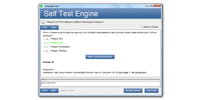
070-515試験の出題数は約40~60問、制限時間は120~150です。限られた時間内で全問に取り組む必要があるため、1問にかけられる時間を常に意識し、難しい問題に長く留まりすぎないペース配分が求められます。本番で時間不足に慌てないよう、JPNTestのテストエンジンで制限時間つきの模擬試験に挑戦し、時間配分の感覚を体に覚えさせておくことをおすすめします。
070-515試験の合格ラインは700点(満点1000点)、受験料は米ドル165(地域により異なります)です。万が一不合格だった場合、再受験には改めて全額の受験料が必要になるため、費用面の負担も無視できません。受験前にJPNTestの186の練習問題で模擬試験に取り組み、安定して合格ラインを超えられることを確認してから本番に臨むと安心です。
推奨:C#およびASP.NETの基礎知識、.NET Framework 4を使用したWeb開発の実務経験。受験に必須の前提資格は設けられていません。
受験条件は変更される場合があります。最新かつ正確な情報は、Microsoftの公式ページで必ずご確認ください。
070-515試験は、以下の公式窓口からお申し込みいただけます。
なお、本試験の受験方式はPearson VUEを通じて実施される監督付き試験(自宅受験または試験会場での受験が可能)です。
Microsoftでは070-515試験向けに、以下の公式トレーニングを用意しています。
公式トレーニングで知識の土台を固めたうえで、JPNTestの186の練習問題に取り組めば、理解度の確認と弱点の洗い出しを効率よく進められます。
はい、ご購入前にJPNTestの070-515問題集の無料サンプル(PDFデモ)をダウンロードして、問題の品質や形式をご確認いただけます。ご購入後は365日間の無料更新が付帯し、更新期間の終了後も50%割引で継続更新をご利用いただけるため、常に最新の出題傾向に沿った内容で学習を続けられます。
JPNTestでは「返金保証」制度をご用意しています。ご購入後60日以内に070-515試験を受験して不合格となった場合、全額返金をご申請いただけます。なお、ご購入後3日以内の受験や、ダウンロード後に実際の受験をしていない場合、無料資料や期限切れのご注文は対象外となり、受験者氏名とお支払い者氏名が一致している必要があります。ご申請の際は、受験票(enrollment slip)の写しと公式スコアレポート(Score Report)のPDFを試験後2日以内にご提出いただき、受理後7日以内に手続きが完了します。返金をご希望でない場合は、同等価値の試験資料2点を無料でお受け取りいただき、元の製品の更新サービスを継続する選択肢もございます。
また、ご購入いただいた製品はお支払い完了後すぐにダウンロードでき、メールでも1分以内にお届けします。2時間以内に届かない場合はカスタマーサポートまでご連絡ください。インストール可能なパソコンの台数に制限はありません。
070-515試験の出題範囲は、全部で5分野で構成されています。主な分野としては、「セキュリティ」、「ユーザーインターフェースの開発」、「Webアプリケーションの設計」などが挙げられます。各分野の詳細なトピックと配点は、上記の試験大綱をご確認ください。JPNTestの070-515練習問題は、これらの出題分野を幅広くカバーしています。
Microsoft TS: Web Applications Development with Microsoft .NET Framework 4 認定 070-515 試験問題:
You are implementing a read-only page that includes the following controls.
<asp:Button ID="btnRefresh" runat="server" Text="Button" /> <asp:GridView ID="gvCustomers" runat="server" EnableViewState="False" OnDataBinding="gvCustomers_DataBinding"></asp:GridView>
You disable view state to improve performance.
You need to ensure that the page is updated to display the latest data when the user clicks the refresh
button.
Which code segment should you use?
- A. protected void Page_PreInit(object sender, EventArgs e)
{
if (!IsPostBack)
{
gvCustomers.DataSource = GetCustomers();
gvCustomers.DataBind();
}
} - B. protected void Page_Load(object sender, EventArgs e)
{
gvCustomers.DataSource = GetCustomers();
gvCustomers.DataBind();
} - C. protected void gvCustomers_DataBinding(object sender, EventArgs e)
{
gvCustomers.DataSource = GetCustomers();
gvCustomers.DataBind();
} - D. protected void Page_PreRender(object sender, EventArgs e)
{
if (!IsPostBack)
{
gvCustomers.DataSource = GetCustomers();
gvCustomers.DataBind();
}
}
正解:B 🗳️
You are implementing an ASP.NET Dynamic Data Web site.
The Web site includes a data context that enables automatic scaffolding for all tables in the data model.
The Global.asax.cs file contains the following code segment.
public static void RegisterRoutes(RouteCollection routes)
{ routes.Add(new DynamicDataRoute("{table}/ListDetails.aspx") {
Action = PageAction.List,
ViewName = "ListDetails",
Model = DefaultModel
});
routes.Add(new DynamicDataRoute("{table}/ListDetails.aspx")
{
Action = PageAction.Details,
ViewName = "ListDetails",
Model = DefaultModel
}); }
You need to display the items in a table named Products by using a custom layout. What should you do?
- A. Add a new folder named Products to the Dynamic Data\CustomPages folder of the Web site. Add a new Web page named ListDetails.aspx to the Products folder.
- B. Add a new Web user control named Products.ascx to the Dynamic Data\Filters folder of the Web site. In the code-behind file for the control, change the base class from UserControl to System.Web.DynamicData.QueryableFilterUserControl.
- C. Add a new Web user control named Products_ListDetails.ascx to the Dynamic Data\EntityTemplates folder of the Web site. In the code-behind file for the control, change the base class from UserControl to System.Web.DynamicData.EntityTemplateUserControl.
- D. Add a new Web page named Products.aspx to the Dynamic Data\PageTemplates folder of the Web site.
正解:A 🗳️
You work as an ASP.NET Web Application Developer for SomeCompany.
The company uses Visual Studio .NET 2010 as its application development platform.
You create an ASP.NET MVC 2 Web application using .NET Framework 4.0.
You implement a single project area in the MVC 2 Web application.
In the Areas folder, you add a subfolder named MyTest.
You add the following files to the appropriate sub-folders:
MyController. cs
MyHome.aspx
You register a route of the area, setting the route name to MyTest_default and the area name to test.
You create a view named MyViews.aspx that is outside the test area. You need to add a link to MyViews.aspx that points to MyHome.aspx. Which of the following code segments will you use?
- A. <%= Html.RouteLink("MyHome", "MyTest", new {area = "test"}, null)%>
- B. <%= Html.ActionLink("MyTest", "MyHome", new {area = "test"}, null)%>
- C. <%= Html.ActionLink("MyTest", "MyHome", "MyTest", new {area = "test"}, null)%>
- D. <%= Html.RouteLink("MyTest", "MyHome", "MyTest", new {area = "test"}, null)% >
正解:C 🗳️
解説: (JPNTest メンバーにのみ表示されます)
You are implementing an ASP.NET application that uses data-bound GridView controls in multiple pages. You add JavaScript code to periodically update specific types of data items in these GridView controls. You need to ensure that the JavaScript code can locate the HTML elements created for each row in these GridView controls, without needing to be changed if the controls are moved from one page to another. What should you do?
- A. Set the ClientIDRowSuffix attribute of each unique GridView control to a different value.
- B. Set the ClientIDMode attribute to Predictable in the web.config file.
- C. Replace the GridView control with a ListView control.
- D. Set the @ OutputCache directive's VaryByControl attribute to the ID of the GridView control.
正解:A 🗳️
You are developing an ASP.NET MVC 2 application. You create a login user control named login.ascx. You need to display Login.ascx in a view.
What should you do?
- A. Use an HTML server-side include.
- B. Use the HTML.Display method
- C. Use the HTML.Partial method.
- D. Use the @Import directive
正解:C 🗳️


 0
0
 0
0
 0
0
 0
0
