
 560 お客様のコメント


申し込みから学習開始まで待ちたくない方に、JPNTestの9A0-281問題集は即時ダウンロードに対応しています。お支払い完了後すぐにAdobe® Captivate® 5.5 with eLearning Suite Extensionsの49の練習問題を入手でき、思い立ったその日から学習を始められます。
Adobe 9A0-281 試験概要:
| 認定ベンダー: | Adobe |
|---|---|
| 試験名: | Adobe® Captivate® 5.5 with eLearning Suite Extensions 試験 |
| 試験番号: | 9A0-281 |
| 試験時間: | 90 分 |
| 出題数: | 50 |
| 受験料: | USD 180 |
| 試験形式: | 単一選択式, 複数選択式 |
| 関連資格: | Adobe Captivate Adobe eLearning Suite |
| 対応言語: | 英語 |
| 推奨トレーニング: | Adobe Captivateのトレーニングとドキュメント |
| 受験申し込み: | Adobe認定試験 |
| サンプル問題: | Adobe 9A0-281 サンプル問題 |
| 受験方法: | Adobe認定試験センター |
Adobe 9A0-281 試験シラバストピック:
| セクション | 目標 |
|---|---|
| トピック 1: プロジェクトの計画と設計 | - プロジェクト設定の作成と構成 - プロジェクト要件とインストラクショナルデザインの考慮事項の特定 |
| トピック 2: コンテンツの作成 | - オーディオ、ビデオ、およびアニメーション機能の使用 - アセットのインポートと管理 - スライド、オブジェクト、およびインタラクティブコンテンツの作成 |
| トピック 3: 高度なインタラクションと評価 | - クイズと知識確認の作成 - 変数、高度なアクション、およびウィジェットの使用 |
| トピック 4: パブリッシュと配信 | - LMS連携とレポートの設定 - さまざまな出力形式でのプロジェクトのパブリッシュ |
| トピック 5: eLearning Suiteとの統合 | - eLearning Suiteコンポーネント間のワークフローの管理 - Adobe eLearning SuiteアプリケーションでのCaptivateの使用 |
Adobe® Captivate® 5.5 with eLearning Suite ExtensionsのQ&A
「9A0-281」は、Adobeが実施する「Adobe® Captivate® 5.5 with eLearning Suite Extensions 試験」の試験コードです。この試験に合格すると、「Adobe認定エキスパート (ACE)」の認定を取得できます。認定レベルはエキスパートに位置づけられています。関連する認定としては、Adobe Captivate・Adobe eLearning Suiteなどが挙げられます。JPNTestでは、9A0-281試験対策として49の練習問題をご用意しています。
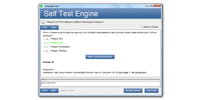
9A0-281試験の出題数は50、制限時間は90 分です。限られた時間内で全問に取り組む必要があるため、1問にかけられる時間を常に意識し、難しい問題に長く留まりすぎないペース配分が求められます。本番で時間不足に慌てないよう、JPNTestのテストエンジンで制限時間つきの模擬試験に挑戦し、時間配分の感覚を体に覚えさせておくことをおすすめします。
Adobeでは9A0-281試験向けに、以下の公式トレーニングを用意しています。
公式トレーニングで知識の土台を固めたうえで、JPNTestの49の練習問題に取り組めば、理解度の確認と弱点の洗い出しを効率よく進められます。
はい、ご購入前にJPNTestの9A0-281問題集の無料サンプル(PDFデモ)をダウンロードして、問題の品質や形式をご確認いただけます。ご購入後は365日間の無料更新が付帯し、更新期間の終了後も50%割引で継続更新をご利用いただけるため、常に最新の出題傾向に沿った内容で学習を続けられます。
JPNTestでは「返金保証」制度をご用意しています。ご購入後60日以内に9A0-281試験を受験して不合格となった場合、全額返金をご申請いただけます。なお、ご購入後3日以内の受験や、ダウンロード後に実際の受験をしていない場合、無料資料や期限切れのご注文は対象外となり、受験者氏名とお支払い者氏名が一致している必要があります。ご申請の際は、受験票(enrollment slip)の写しと公式スコアレポート(Score Report)のPDFを試験後2日以内にご提出いただき、受理後7日以内に手続きが完了します。返金をご希望でない場合は、同等価値の試験資料2点を無料でお受け取りいただき、元の製品の更新サービスを継続する選択肢もございます。
また、ご購入いただいた製品はお支払い完了後すぐにダウンロードでき、メールでも1分以内にお届けします。2時間以内に届かない場合はカスタマーサポートまでご連絡ください。インストール可能なパソコンの台数に制限はありません。
9A0-281試験の出題範囲は、全部で5分野で構成されています。主な分野としては、「コンテンツの作成」、「プロジェクトの計画と設計」、「eLearning Suiteとの統合」などが挙げられます。各分野の詳細なトピックと配点は、上記の試験大綱をご確認ください。JPNTestの9A0-281練習問題は、これらの出題分野を幅広くカバーしています。
Adobe® Captivate® 5.5 with eLearning Suite Extensions 認定 9A0-281 試験問題:
You have made some changes to the PSD file outside Captivate. You want the changes to be reflected in your Captivate project. How should you update the PSD instances in Captivate?
- A. In the Properties Inspector, click Update.
- B. Right-click the image and select Update.
- C. In the Properties Inspector, click Edit.
- D. Click the Red status icon on the top-right corner of the image.
正解:B 🗳️
You have created various layouts for your course screens in Photoshop and have saved the layouts as layer comps. You want to import one of the layer comps as an image in Captivate. What should you do?
- A. In the Import PSD dialog, select Layers, then select the desired layer comp to be imported.
- B. Choose File > Import > Photoshop Layer Comps.
- C. In the Import PSD dialog, select Multiple Photoshop Layer comps, and then select the desired layer comp to be imported.
- D. In the Import PSD dialog, select Single Photoshop Layer comps, and then select the desired Layer Comp to be imported.
正解:B 🗳️
Which three eLearning projects can you combine using the Adobe Multi SCO Packager? (Choose three.)
- A. Adobe Captivate project output with SCORM settings
- B. Flash SWF without Learning Interactions
- C. Quiz created using Adobe Presenter
- D. Flash Learning Interactions
- E. Adobe Captivate project output with AICC settings
- F. Adobe Captivate project output with Internal Server settings
正解:A、B、C 🗳️
In your Captivate project, the option File > Browse in Bridge is NOT enabled. What could be the reason?
- A. You do NOT have eLearning Suite installed.
- B. Adobe Bridge is NOT open.
- C. You do NOT have Adobe Bridge point product installed.
- D. The Adobe Bridge option is NOT enabled in the Preference dialog.
正解:D 🗳️
Which is the extension for the published output file from Multi SCO Packager?
- A. SWF
- B. SCO
- C. ZIP
- D. CPTM
正解:B 🗳️


 0
0
 0
0
 0
0
 0
0
