

 427 お客様のコメント

私たちのSAP Certified Application Associate - SAP SuccessFactors Career Development Planning and Mentoring Q/2019研究問題は質が高いです。 それでテストの準備をするためのすべての効果的で中心的な習慣があります。 私たちの職業的能力により、C-THR95-1902試験問題を編集するのに必要なテストポイントに同意することができます。 それはあなたの難しさを解決するための試験の中心を指しています。 最も重要なメッセージに対するC-THR95-1902テストガイドの質問と回答の最小数で、すべてのユーザーが簡単に効率的な学習を行えるようにし、余分な負担を増やさずに、最後にC-THR95-1902試験問題にユーザーがすぐに試験合格できるようにします。
簡潔な内容
分析後のすべての種類の試験の暦年に基づくエキスパートによるC-THR95-1902試験問題、それは開発動向に焦点を当てた試験論文に適合し、そしてあなたが直面するあらゆる種類の困難を要約し、ユーザーレビューを強調する 知識の内容を習得する必要があります。 そして他の教育プラットフォームとは異なり、SAP Certified Application Associate - SAP SuccessFactors Career Development Planning and Mentoring Q/2019試験問題は暦年試験問題の主な内容が長い時間の形式でユーザーの前に表示されていないが、できるだけ簡潔で目立つテキストで概説されていますC-THR95-1902テストガイドは、今年の予測トレンドの命題を正確かつ正確に表現しており、トピックデザインのシミュレーションを通して細心の注意を払っています。
真のシミュレーション環境
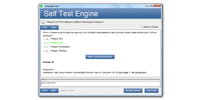
多くのユーザーが最初に試験に参加しているので、上記の試験と試験時間の分布は確かな経験を欠いており、したがって試験場所で混乱しがちであるため、つかむ時間は結局試験を完全に終わらせなかった。 この現象の発生を避けるために、SAP Certified Application Associate - SAP SuccessFactors Career Development Planning and Mentoring Q/2019試験問題は各試験シミュレーションテスト環境に対応する製品を持ち、ユーザーはプラットフォーム上の自分のアカウントにログオンし、同時に試験シミュレーションに参加したいものを選択します。C-THR95-1902試験問題は自動的にユーザーが実際のテスト環境のシミュレーションテストシステムと同じように提示され、ソフトウェア内蔵のタイマー機能は体系的な達成するために、ユーザーが時間をかけてより良い制御を助けることができます。C-THR95-1902テストガイドを使って問題を横から解決するためにユーザーのスピードを向上させるためにも。
コースの簡単な紹介
ほとんどのユーザーにとって、関連する資格試験へのアクセスが最初であるかもしれないので、資格試験に関連するコース内容の多くは複雑で難解です。 これらの無知な初心者によれば、C-THR95-1902試験問題は読みやすく、対応する例と同時に説明する一連の基本コースを設定し、SAP Certified Application Associate - SAP SuccessFactors Career Development Planning and Mentoring Q/2019試験問題でユーザーが見つけることができるようにしました 実生活と学んだ知識の実際の利用に対応し、ユーザーと記憶の理解を深めました。 シンプルなテキストメッセージは、カラフルなストーリーや写真の美しさを上げるに値する、C-THR95-1902テストガイドを初心者のためのゼロの基準に合うようにし、リラックスした幸せな雰囲気の中でより役立つ知識を習得します。 団結の状態を達成するために。
SAP Certified Application Associate - SAP SuccessFactors Career Development Planning and Mentoring Q/2019 認定 C-THR95-1902 試験問題:
1. Where do you navigate to import expected ratings for competencies in Admin
Center?
Please choose the correct answer.
Choose one:
A) Import/Export/Update Development Plan Template
B) Import Development Goals
C) Import/Export/Update Learning Activities Template
D) Import Job Roles
2. If you want a field added in Admin Tools to be editable only by the Employee, what would you need to do?
A) In XML, find an existing write permission for the E role that includes the field. Make sure the ' same
"read' permission is under it.
B) Make the field an employee-only editable field in Admin Tools.
C) In XML, verify the field is included in the write permission block for the EM role.
D) In XML, add a write permission for the E role at the end of the permissions and remove the field ' from all other write permission blocks.
3. You need to make changes to the fields in the Career Worksheet. How do you export the Career Worksheet template?
A) Go to Admin Center and click Form Template Settings
B) Go to Admin Center and click Manage Templates
C) Navigate to Provisioning and find the Managing Project Team Templates.
D) Navigate to Provisioning and find the Managing Plan Template.
4. Which notifications are enabled and shared between the Career Development
Planning and Goal Management modules?
There are 2 correct answers to this question.
Choose:
A) Goal Creation Notification
B) Status Report Submitted Notification
C) Goal Delete Notification
D) Goal Import Notification
5. After the implementation of Career Development Planning (CDP), you notice that employees of the customer CANNOT add a new goal to their Development Goal Plan. How do you modify the permissions within the CDP XML? (2 corrects)
A) Add the 'create' action permission for Employees role 'E'.
B) Add a 'write' field permission for the Development goal field for Employees role 'E'.
C) Add the 'share' action permission for Employees role 'E'.
D) Add a 'read' field permission for the Development goal field for Employees role 'E'.
質問と回答:
| 質問 # 1 正解: D | 質問 # 2 正解: D | 質問 # 3 正解: D | 質問 # 4 正解: A、C | 質問 # 5 正解: A、D |


 0
0
 0
0
 0
0
 0
0
