

SAP C_THR81_2505リアル試験問題テストエンジン問題集トレーニングには86問あります
C_THR81_2505実際の問題解答PDFには100%カバー率リアル試験問題
質問 # 26
Which rule supports the Default_JobClass requirement?
- A. Option A
- B. Option D
- C. Option B
- D. Option C
正解:C
解説:
The rule in Option B supports the Default_JobClass requirement by setting default values for fields such as Job Title, Pay Grade, and Employee Class when the Job Classification field is NULL. This ensures that appropriate default data is applied to job information records when certain fields are not explicitly filled.
Scenario 1: HR Transaction Rules
質問 # 27
An HR admin/Global Mobility person must create a transfer for an employee. The employee will be moving from Position A in Team A to Position B in Team B. Both managers will have to approve the transfer.
How do you configure a two-step workflow so that the approval goes first to the current manager and second to the future manager?
- A. By selecting in Step 1. Role-Manager - Source
* By selecting in Step 2: Role - Manager - Target - B. By selecting in Step 1. Position Relationship - Parent Parent Position - Source
* By selecting in Step 2: Position Relationship - Parent Position - Target - C. By selecting in Step 1: Role - Manager - Source
* By selecting in Slep 2. Role-Manager Manager - Target - D. By selecting in Step 1: Role - Self-Source
* By selecting in Step 2. Role- Manager - Target
正解:A
解説:
Scenario 2: Approvals for Self-Service
To configure a two-step workflow where the approval first goes to the current manager and then to the future manager, you must set the following in the workflow:
Step 1: Role - Manager - Source (current manager of the employee).
Step 2: Role - Manager - Target (future manager of the employee).
This setup ensures that the workflow sequentially routes approval to both the current and future managers.
質問 # 28
Which steps are required to set up the Auto Delegation feature for a workflow in Employee Central? Note:
There are 2 correct answers to this question.
- A. Enable the field in Succession Data Model.
- B. Enable the auto-delegate permission for users.
- C. Enable the field in the Corporate Data Model.
- D. Define the delegate relationship in Employee Central.
正解:B、C
解説:
To set up the Auto Delegation feature in Employee Central workflows, the following steps are required:
* Enable Auto-Delegate Permission: Users must have the auto-delegate permission enabled, which allows them to define their delegates for workflows.
* Enable Auto-Delegation in the Corporate Data Model: This configuration ensures that the system recognizes and supports the auto-delegation functionality at the framework level.
Correct Answers:
* B: Enable the auto-delegate permission for users.
* D: Enable the field in the Corporate Data Model.
質問 # 29
What properties are available when using model base objects in business rules? Note: There are 3 correct answers to this question.
- A. Max-length
- B. Previous Value
- C. Required
- D. Visibility
- E. PII
正解:B、C、D
解説:
When working with model base objects in SAP SuccessFactors Employee Central business rules, the following properties are available:
B . Visibility
Visibility determines whether a field is displayed or hidden based on business rules. This is critical for maintaining data confidentiality or streamlining user interfaces.
C . Previous Value
This property allows rules to compare the current value of a field with its previous value, enabling conditional logic for actions such as triggering notifications or workflows.
E . Required
Required indicates whether a field must be populated before a record can be saved. Business rules can enforce data completeness using this property.
A . PII (Personally Identifiable Information) and D. Max-length are not applicable properties for business rules in the context of model base objects.
質問 # 30
Which destination objects do you select for the Valid When and Composite associations? Note: There are 2 correct answers to this question.
- A. Valid When association - Higher level object
- B. Composite association - Child object
- C. Composite association - Parent object
- D. Valid When association - Lower level object
正解:A、B
解説:
* Valid When Association:
This is used to define conditional relationships and is applied to higher-level objects.
* Composite Association:
This is used to create parent-child relationships, where the child object is the destination.
質問 # 31
Which rule can effectively catch all unspecified events in a transaction?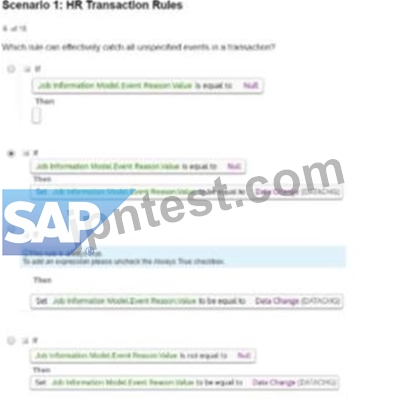
- A. Option A
- B. Option D
- C. Option B
- D. Option C
正解:C
解説:
The rule in Option B effectively captures all unspecified events in a transaction because:
It sets the Event Reason Value to "Data Change" whenever the Event Reason Value is null.
This ensures that all unplanned or unspecified events are assigned a default action, which is crucial for maintaining data consistency and avoiding errors during transactions.
Scenario 1: HR Transaction Rules
質問 # 32
Which action will trigger a system validation for an in-progress workflow?
- A. Updating Job Information with the same effective date
- B. Rehiring an inactive employee
- C. Adding a new employee
- D. Terminating an employee
正解:D
質問 # 33
In which cases should the value for CREATE Respects Target Criteria be set to Yes in the Position object definition? Note: There are 2 correct answers to this question.
- A. To restrict access to create positions from Manage Positions
- B. To restrict access to create positions based on the granted user's target population
- C. To restrict access to create lower-level positions from the Position Org Chart
- D. To restrict access at the field level when creating positions
正解:B、C
解説:
The CREATE Respects Target Criteria setting in the Position object definition ensures that the system applies access control criteria when creating positions. This is critical for maintaining organizational and data security. It should be set to Yes in the following cases:
A . To restrict access to create positions based on the granted user's target population:
This ensures that users can only create positions for entities (e.g., departments, locations) within their authorized target population.
C . To restrict access to create lower-level positions from the Position Org Chart:
This limits the ability to create subordinate positions in the hierarchy to authorized users, maintaining the integrity of position relationships.
質問 # 34
Which of the following are features of the clean core dashboard? Note: There are 2 correct answers to this question.
- A. Customers can grant access to the dashboard to partners.
- B. It can be used in all SAP S/4HANA Cloud editions.
- C. It can be accessed by using SAP For Me.
- D. Customers can use the dashboard in the dev, test, and production tenants.
正解:A、C
解説:
The clean core dashboard offers tools to monitor and maintain clean core operations.
Access via SAP For Me: The dashboard can be reached through the SAP For Me portal, a customer-centric interface for managing SAP environments.
Partner Access: Customers can grant partners access to the clean core dashboard, allowing collaborative management and monitoring.
The dashboard's functionality in specific tenants (like dev, test, production) or availability across all SAP S/4HANA Cloud editions depends on the specific system configurations.
質問 # 35
You want the Timezone field to be pre-populated when the location record is changed in Job Info. How do you configure this?
- A. Base Object: Job Information; Assigned to Timezone field as onChange
- B. Base Object: Location; Assigned to Timezone field as onSave
- C. Base Object: Location: Assigned to Timezone field as onChange
- D. Base Object: Job Information; Assigned to Location field as onChange
正解:D
解説:
To pre-populate the Timezone field when the location record is changed in Job Information, you need to configure the association as follows:
* Base Object: Job Information
* Trigger Event: Assigned to the Location field with the event set to onChange.This configuration ensures that whenever the Location field is updated in Job Information, the system triggers the logic to update and pre-populate the Timezone field based on the associated Location. The onChange event drives this functionality.
質問 # 36
Which object supports &&NO_OVERWRITE&& in imports? Note: There are 2 correct answers to this question.
- A. Employment Details
- B. Job History
- C. Job Relationships
- D. Addresses
正解:A、B
解説:
The &&NO_OVERWRITE&& operator is supported in imports for:
A . Job History
This ensures that existing job history records are not overwritten during imports.
D . Employment Details
Employment details such as hire dates or termination records can also be preserved using this operator.
Job Relationships and Addresses do not support the &&NO_OVERWRITE&& operator.
質問 # 37
Which action in the THEN statement is used for propagation?
- A. Set
- B. Create
- C. Execute
- D. Raise
正解:A
質問 # 38
Which object supports &&NO_OVERWRITE&& in imports? Note: There are 2 correct answers to this question.
- A. Employment Details
- B. Job History
- C. Job Relationships
- D. Addresses
正解:A、B
解説:
The &&NO_OVERWRITE&& operator is supported in imports for:
A . Job History
This ensures that existing job history records are not overwritten during imports.
D . Employment Details
Employment details such as hire dates or termination records can also be preserved using this operator.
Job Relationships and Addresses do not support the &&NO_OVERWRITE&& operator.
質問 # 39
The HR admin has to change the salary of an employee, which will trigger a workflow for the employee's manager. The employee's manager should be able to edit the transaction if the proposed amount is NOT correct.
Where in the workflow do you need to define this?
Refer to the screenshot to answer the question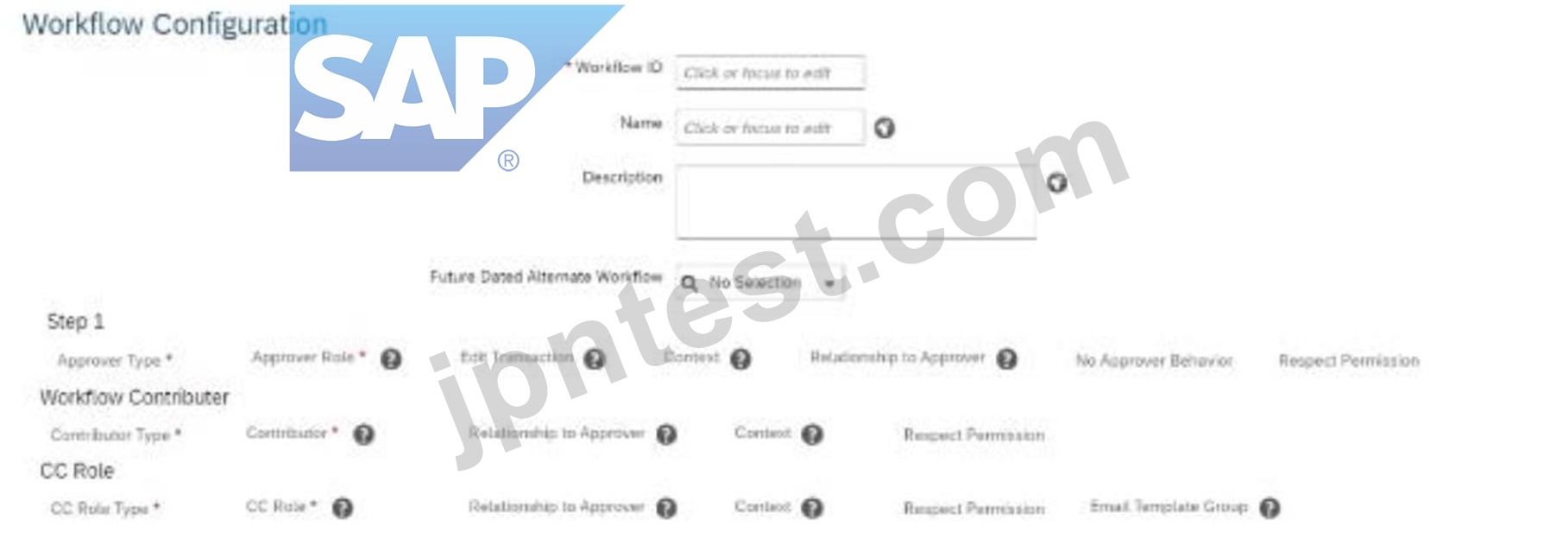
- A. Respect Permission
- B. Context
- C. No Approver Behavior
- D. Edit Transaction
正解:D
解説:
To allow the employee's manager to edit a transaction in a workflow if the proposed salary change is incorrect, you must configure the "Edit Transaction" setting in the workflow.
The "Edit Transaction" option is part of the workflow configuration in Step 1 (as shown in the screenshot).
When enabled, it allows the approver (in this case, the manager) to make adjustments to the transaction before approving it.
Scenario 2: Approvals for Self-Service
質問 # 40
What is the recommended practice to start the event reason derivation rules?
- A. The first IF clause must be blank
- B. The first IF clause must be set to Always True.
- C. The first IF clause must check if the event reason value is NULL, then skip the event reason derivation.
- D. The first IF clause must check if the event reason value is NULL, then skip the event reason derivation.
正解:D
解説:
The recommended practice to start event reason derivation rules is to begin with a condition that checks if the event reason value is NULL. If the value is NULL, the rule skips the event reason derivation process. This approach prevents unnecessary processing and ensures that only valid scenarios trigger further rule logic, improving system performance and accuracy.
Scenario 1: HR Transaction Rules
質問 # 41
How do you create country-specific fields for the Legal Entity object?
- A. As a generic object with a composite association to the Legal Entity object
- B. As an HRIS element in the Corporate Data Model with a composite association to the Legal Entity object
- C. As an HRIS element in the Country Specific Field for Corporate Data Model with a Valid When association to the Legal Entity object
- D. As a generic object with a Valid When association to the Legal Entity object
正解:C
解説:
To create country-specific fields for the Legal Entity object in SAP SuccessFactors Employee Central, you should define these fields as an HRIS element within the Country-Specific Field section of the Corporate Data Model. This approach allows the system to manage country-specific attributes effectively. The 'Valid When' association is utilized to ensure that these fields are applicable only when certain conditions, such as the country of registration, are met. This configuration ensures that the Legal Entity object contains fields relevant to specific countries, facilitating accurate data management and compliance with local regulations.
質問 # 42
An employee will be changing their nationality information on their own How do you build the IF condition in the business rule so they can do this?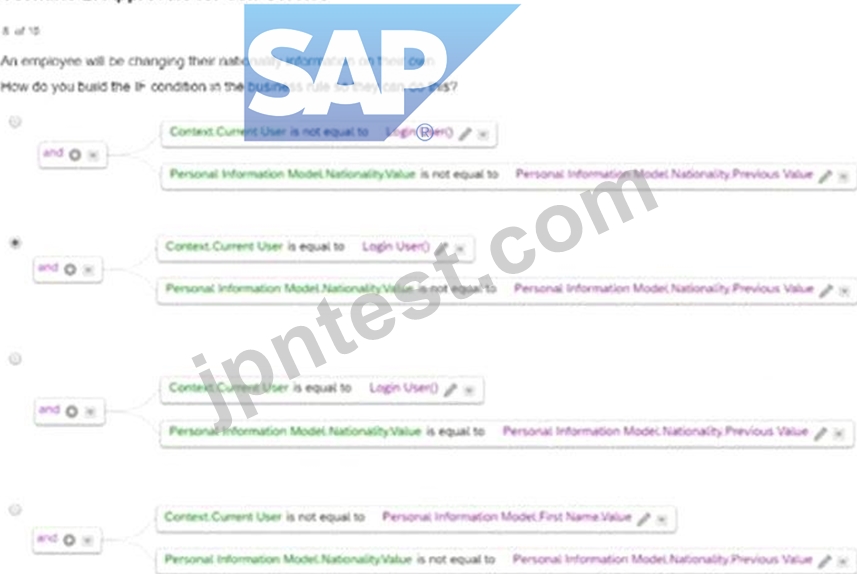
- A. Option A
- B. Option D
- C. Option B
- D. Option C
正解:C
解説:
In order for an employee to change their nationality information on their own, the IF condition must:
* Validate that the Context.Current User is equal to Login User (ensures that the logged-in user is making the changes).
* Check if the Nationality.Value is not equal to the Nationality.Previous Value (ensures that a change is being made).
Scenario 2: Approvals for Self-Service
質問 # 43
When the manager updates the location of an employee, the HR admin must be the approver Note that the HR admin, manager, and HR Business Partner have access to change the location.
How do you create the IF condition for the workflow derivation rule lo meet the above requirements?
- A. Option D
- B. Option B
- C. Option A
- D. Option C
正解:C
解説:
To meet the requirement where the HR admin must approve the manager's updates to an employee's location, the workflow derivation rule must include the following IF condition:
Option A: Ensures that the condition checks whether the user belongs to the permission group for HR Admins, and the Event Reason value matches "Location Change".
This configuration aligns the workflow rule with the scenario requirements, where HR admins are explicitly designated as approvers Scenario 2: Approvals for Self-Service
質問 # 44
Which clause meets the WFD_Address rule requirement?
- A. Option A
- B. Option B
- C. Option D
- D. Option C
正解:C
解説:
The clause in Option D meets the WFD_Address rule requirement because it checks the following conditions comprehensively:
Address is not equal to Null.
City and CountryRegion are equal to Null.
When these conditions are met, it sets the configuration for Address Change accordingly, ensuring data completeness and accuracy for address-related transactions.
Scenario 1: HR Transaction Rules
質問 # 45
What must be done to ensure that you can use a custom generic (MDF) object for Employee Self- Service? Note: There are 2 correct answers to this question.
- A. Set the externalCode field to Data Type = User.
- B. Create a Valid When association for the object.
- C. Create one configuration UI for the object.
- D. Set the externalName field to Data Type = User.
正解:A、C
解説:
To enable a custom Generic (MDF) object for Employee Self-Service (ESS) in SAP SuccessFactors Employee Central, the following configurations are necessary:
C . Create one configuration UI for the object.
A Configuration UI (User Interface) must be created for the MDF object to define how users will interact with it. This UI facilitates data entry and management within the ESS framework.
SAP Learning Hub
D . Set the externalCode field to Data Type = User.
The externalCode field should be set to the 'User' data type. This configuration ensures that the object is associated with specific user records, enabling personalized data management within ESS.
SAP Learning Hub
Options A and B are not required for enabling a custom MDF object for Employee Self-Service:
A . Set the externalName field to Data Type = User.
The externalName field typically holds descriptive information and does not need to be set to the 'User' data type for ESS functionality.
B . Create a Valid When association for the object.
While associations can define relationships between objects, a 'Valid When' association is not a prerequisite for enabling ESS capabilities for a custom MDF object.
質問 # 46
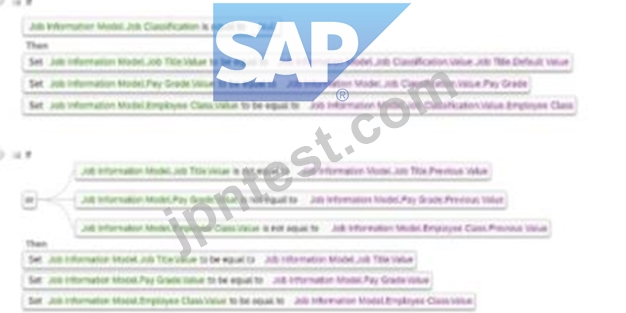
Which rule supports the Default_JobClass requirement?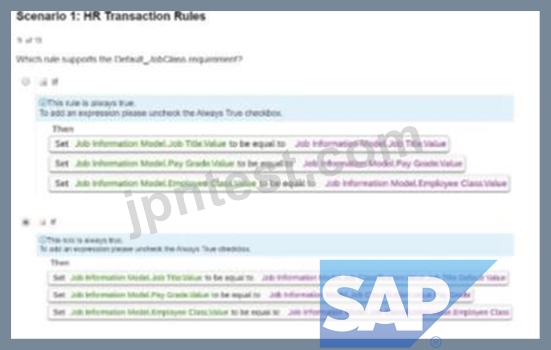
- A. Option A
- B. Option D
- C. Option B
- D. Option C
正解:C
解説:
The rule in Option B supports the Default_JobClass requirement by setting default values for fields such as Job Title, Pay Grade, and Employee Class when the Job Classification field is NULL. This ensures that appropriate default data is applied to job information records when certain fields are not explicitly filled.
Scenario 1: HR Transaction Rules
質問 # 47
Your customer wants to create an association, with the requirement that one division can belong to many business units. What association do you need to build?
- A. A Composite association in the business unit object definition
- B. A Valid When association in the business unit object definition
- C. A Composite association in the division object definition
- D. A Valid When association in the division object definition
正解:D
解説:
To create an association where one division can belong to many business units, you must build a Valid When association in the Division object definition.
Valid When associations define conditions under which an object (e.g., a Division) is valid for another object (e.g., a Business Unit).
This setup supports the business rule that a single division may be linked to multiple business units while ensuring data integrity in the hierarchical structure.
質問 # 48
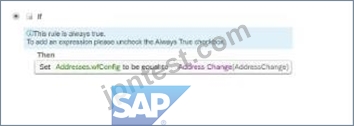
Which clause meets the WFD_Address rule requirement?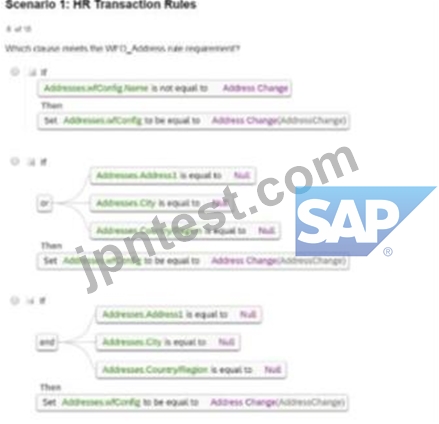
- A. Option A
- B. Option B
- C. Option D
- D. Option C
正解:C
解説:
The clause in Option D meets the WFD_Address rule requirement because it checks the following conditions comprehensively:
Address is not equal to Null.
City and CountryRegion are equal to Null.
When these conditions are met, it sets the configuration for Address Change accordingly, ensuring data completeness and accuracy for address-related transactions.
Scenario 1: HR Transaction Rules
質問 # 49
How do you configure alert recipients?
- A. Recipients are configured as workflow approvers.
- B. Recipients are configured within the EC Alerts business rule.
- C. Recipients are configured as workflow contributors.
- D. Recipients are configured in Manage Data.
正解:A
質問 # 50
......
JPNTest C_THR81_2505試験練習テスト問題:https://www.jpntest.com/shiken/C_THR81_2505-mondaishu
C_THR81_2505試験問題解答:https://drive.google.com/open?id=1vf86QxneIF9pKh8dVQ6YggLIIc61wlQY