
 409 お客様のコメント
 クリック」
クリック」
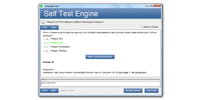

本番さながらの環境で練習したい方には、JPNTestのテストエンジンがおすすめです。070-334試験の画面構成や制限時間を再現した模擬試験で、Microsoft Core Solutions of Microsoft Skype for Business 2015の120の問題に取り組めます。本番の緊張感に慣れておけば、当日も落ち着いて解答できるようになります。
Microsoft 070-334 試験概要:
| 認定ベンダー: | Microsoft |
|---|---|
| 試験名: | Microsoft Skype for Business 2015 のコア ソリューション |
| 試験番号: | 70-334 |
| 受験料: | $165 USD(地域により異なります) |
| 関連資格: | 70-333 MCSE: Communications |
| 対応言語: | 英語, スペイン語, 日本語, ドイツ語, 簡体字中国語, フランス語 |
| 認定の有効期間: | 廃止(現在は実施されていない認定試験です) |
| 合格点: | 700/1000 |
| 出題数: | 40-60 |
| 試験形式: | ドラッグ&ドロップ, 最適解の選択, 多肢選択式, ケーススタディ |
| 試験時間: | 150 分 |
| 推奨トレーニング: | Microsoft 公式認定資格ラーニング パス Microsoft Learn - Skype for Business |
| 受験申し込み: | Microsoft 認定資格ダッシュボード Pearson VUE での登録 |
| サンプル問題: | Microsoft 070-334 サンプル問題 |
| 受験方法: | Pearson VUE によるオンライン監督試験またはテストセンターでの受験 |
| 前提条件: | Skype for Business Server、Windows Server、Active Directory、ネットワーク、および VoIP の概念に関する実務経験が推奨されます。 |
| 公式シラバスのURL: | https://learn.microsoft.com/en-us/credentials/certifications/exams/70-334 |
Microsoft 070-334 試験シラバストピック:
| セクション | 目標 |
|---|---|
| トピック 1: 高可用性と災害復旧 | - バックアップと復旧の戦略 - プール ペアリングと回復性 |
| トピック 2: 監視、トラブルシューティング、およびメンテナンス | - 監視ツールとログ記録 - パフォーマンスのトラブルシューティングと診断 |
| トピック 3: ユーザー、クライアント、およびデバイスの管理 | - ユーザーの有効化とポリシー - クライアント構成とデバイス管理 |
| トピック 4: 外部アクセスとフェデレーションの実装 | - フェデレーションとパートナー接続 - エッジ サーバーの展開 |
| トピック 5: 会議とコラボレーションの実装 | - 音声、ビデオ、および Web 会議 - 会議ポリシーとコラボレーション機能 |
| トピック 6: Skype for Business インフラストラクチャの展開と構成 | - サーバーのインストールと構成 - DNS、証明書、およびサービスの構成 |
| トピック 7: Skype for Business アーキテクチャの計画と設計 | - トポロジ設計とサーバーの役割 - 容量計画とインフラストラクチャ要件 |
| トピック 8: エンタープライズ ボイスと PSTN の統合 | - PSTN 接続とボイス ポリシー - ダイヤル プランとボイス ルーティング |
070-334試験のFAQ
「070-334」は、Microsoftが実施する「Microsoft Skype for Business 2015 のコア ソリューション」の試験コードです。この試験に合格すると、「MCSE: Communications (Skype for Business 2015)」の認定を取得できます。認定レベルはエキスパートに位置づけられています。関連する認定としては、70-333・MCSE: Communicationsなどが挙げられます。JPNTestでは、070-334試験対策として120の練習問題をご用意しています。
070-334試験の出題数は40-60、制限時間は150 分です。限られた時間内で全問に取り組む必要があるため、1問にかけられる時間を常に意識し、難しい問題に長く留まりすぎないペース配分が求められます。本番で時間不足に慌てないよう、JPNTestのテストエンジンで制限時間つきの模擬試験に挑戦し、時間配分の感覚を体に覚えさせておくことをおすすめします。
070-334試験の合格ラインは700/1000、受験料は$165 USD(地域により異なります)です。万が一不合格だった場合、再受験には改めて全額の受験料が必要になるため、費用面の負担も無視できません。受験前にJPNTestの120の練習問題で模擬試験に取り組み、安定して合格ラインを超えられることを確認してから本番に臨むと安心です。
Skype for Business Server、Windows Server、Active Directory、ネットワーク、および VoIP の概念に関する実務経験が推奨されます。
受験条件は変更される場合があります。最新かつ正確な情報は、Microsoftの公式ページで必ずご確認ください。
070-334試験は、以下の公式窓口からお申し込みいただけます。
なお、本試験の受験方式はPearson VUE によるオンライン監督試験またはテストセンターでの受験です。
Microsoftでは070-334試験向けに、以下の公式トレーニングを用意しています。
公式トレーニングで知識の土台を固めたうえで、JPNTestの120の練習問題に取り組めば、理解度の確認と弱点の洗い出しを効率よく進められます。
はい、ご購入前にJPNTestの070-334問題集の無料サンプル(PDFデモ)をダウンロードして、問題の品質や形式をご確認いただけます。ご購入後は365日間の無料更新が付帯し、更新期間の終了後も50%割引で継続更新をご利用いただけるため、常に最新の出題傾向に沿った内容で学習を続けられます。
JPNTestでは「返金保証」制度をご用意しています。ご購入後60日以内に070-334試験を受験して不合格となった場合、全額返金をご申請いただけます。なお、ご購入後3日以内の受験や、ダウンロード後に実際の受験をしていない場合、無料資料や期限切れのご注文は対象外となり、受験者氏名とお支払い者氏名が一致している必要があります。ご申請の際は、受験票(enrollment slip)の写しと公式スコアレポート(Score Report)のPDFを試験後2日以内にご提出いただき、受理後7日以内に手続きが完了します。返金をご希望でない場合は、同等価値の試験資料2点を無料でお受け取りいただき、元の製品の更新サービスを継続する選択肢もございます。
また、ご購入いただいた製品はお支払い完了後すぐにダウンロードでき、メールでも1分以内にお届けします。2時間以内に届かない場合はカスタマーサポートまでご連絡ください。インストール可能なパソコンの台数に制限はありません。
070-334試験の出題範囲は、全部で8分野で構成されています。主な分野としては、「Skype for Business インフラストラクチャの展開と構成」、「高可用性と災害復旧」、「外部アクセスとフェデレーションの実装」などが挙げられます。各分野の詳細なトピックと配点は、上記の試験大綱をご確認ください。JPNTestの070-334練習問題は、これらの出題分野を幅広くカバーしています。
Microsoft Core Solutions of Microsoft Skype for Business 2015 認定 070-334 試験問題:
問題 #1
You deploy a Skype for Business Server 2015 Enterprise Pool that is configured with Enterprise Voice and Dial-in Conferencing. All client computers run Windows 10 and Skype for Business.
Users report that they are unable to share Microsoft PowerPoint presentations.
You need to ensure that while they are in conferences, users are able to share PowerPoint presentations. You also need to ensure that users are able to scroll through PowerPoint presentations.
What should you do?
A. Configure a new conferencing policy that enables theAllowMultiViewproperty.
B. Install an Office Web Apps Server on a server and configure Skype for Business Server
2015 to communicate with Office Web Apps.
C. Install Office 2013 for all users and instruct them to use PowerPoint 2013.
D. Configure a new conferencing policy that enables the application and desktop sharing option.
E. Install an Office Web Apps Server on a server that is running Office 2013 and configure Skype for Business Server 2015 to communicate with Office Web Apps.
問題 #2
HOTSPOT
You have a Skype for Business Server 2015 infrastructure as shown in the exhibit. Click the Exhibit button.
The infrastructure contains an Enterprise Edition Front End pool.
You plan to deploy Persistent Chat.
The solution must minimize the deployment of additional servers whenever possible.
You need to identify the placement of the components required for Persistent Chat.
Where should you deploy the Persistent Chat components? To answer, select the appropriate server to deploy each component in the answer area.
問題 #3
You support Skype for Business Server 2015 servers in your customer's company network.
You enable federation with Skype for
consumers.
Users of Skype for consumers are unable to participate in instant messaging (IM) conversations in your customer's organization. You need to ensure that the users of Skype for consumers clients are able to participate in IM conversations. Which two actions should you perform? Each correct answer presents part of the solution.
A. Create a SIP federated provider.
B. Enable partner domain discovery.
C. Enable an archiving disclaimer to federated partners.
D. Create an external access policy.
問題 #4
You are asked to architect the solution for the Paris office.
You need to select the most appropriate answers to satisfy the request.
Which two actions should you perform? Each correct answer presents part of the solution.
A. Deploy a Skype for Business Edge pool and a Reverse Proxy pool in Paris.
B. Deploy a Skype for Business Standard Edition in Paris.
C. Deploy a Skype for Business Enterprise Edition pool in Paris.
D. Reserve A/V MCU resources on London pool for meetings scheduled by users located in Paris.
E. Deploy a Survivable Branch appliance in Paris.
問題 #5
DRAG DROP
You are helping your customer perform a side-by migration from Microsoft Lync server
2010 to Skype for Business Server 2015.
The customer moves a batch of users to Skype for Business Server 2015. One user reports that when she escalates an instant messaging conversation to an Audio/Video conference with her colleague who is on Lyn Server 2010, audio and video quality become irregular. She also reports that the network signal strength display bars change from green to orange to re.
Users who are on Lync Server 2010 do not report any problems with audio or video quality.
The Skype for Business user reports that after a few minutes, everything starts working fine. You discover that user is connected to a home Wi-Fi connection.
You start a Lync 2010 client on a test computer and sign in with a Lync Server 2010 test user account. You start a Skype for Business Server client on a second test computer and sign in with a Skype for Business Server 2015 test user account.
You collect the following information:
* log files from each client
* events from each client
* log files from both Front End Server pools
* events from the Skype for Business Server 2015 pool
* Network analyzer data from the Edge Server
* Network analyzer data from the test computer that has Skype for Business Server You need to analyze the logs and packet data to diagnose the problem.
Which three steps should you perform in sequence? To answer, move the appropriate three actions from the list of actions to the answer area and arrange them in the correct order.
解説:
| 問題 #1 正解: B | 問題 #2 正解: 会員のみ閲覧可能 | 問題 #3 正解: D | 問題 #4 正解: D、E | 問題 #5 正解: 会員のみ閲覧可能 |


 0
0
 0
0
 0
0
 0
0
